

When using a 5G router or 5G CPE device, many users notice that network performance can fluctuate throughout the day. Sometimes the router switches between different base stations, resulting in signal drops, speed variations, or unstable latency. This is where Celllock technology comes in. By locking your router to a specific cell tower, you can often achieve a more stable and reliable 5G experience.
Celllock is a feature that allows your 5G router to connect exclusively to a selected cell tower (base station) instead of automatically hopping between multiple towers.
² Without Celllock: The router may switch towers frequently, seeking the strongest signal, but this can cause instability.
² With Celllock: The router remains connected to a chosen tower, ensuring consistent signal quality and reduced interruptions.
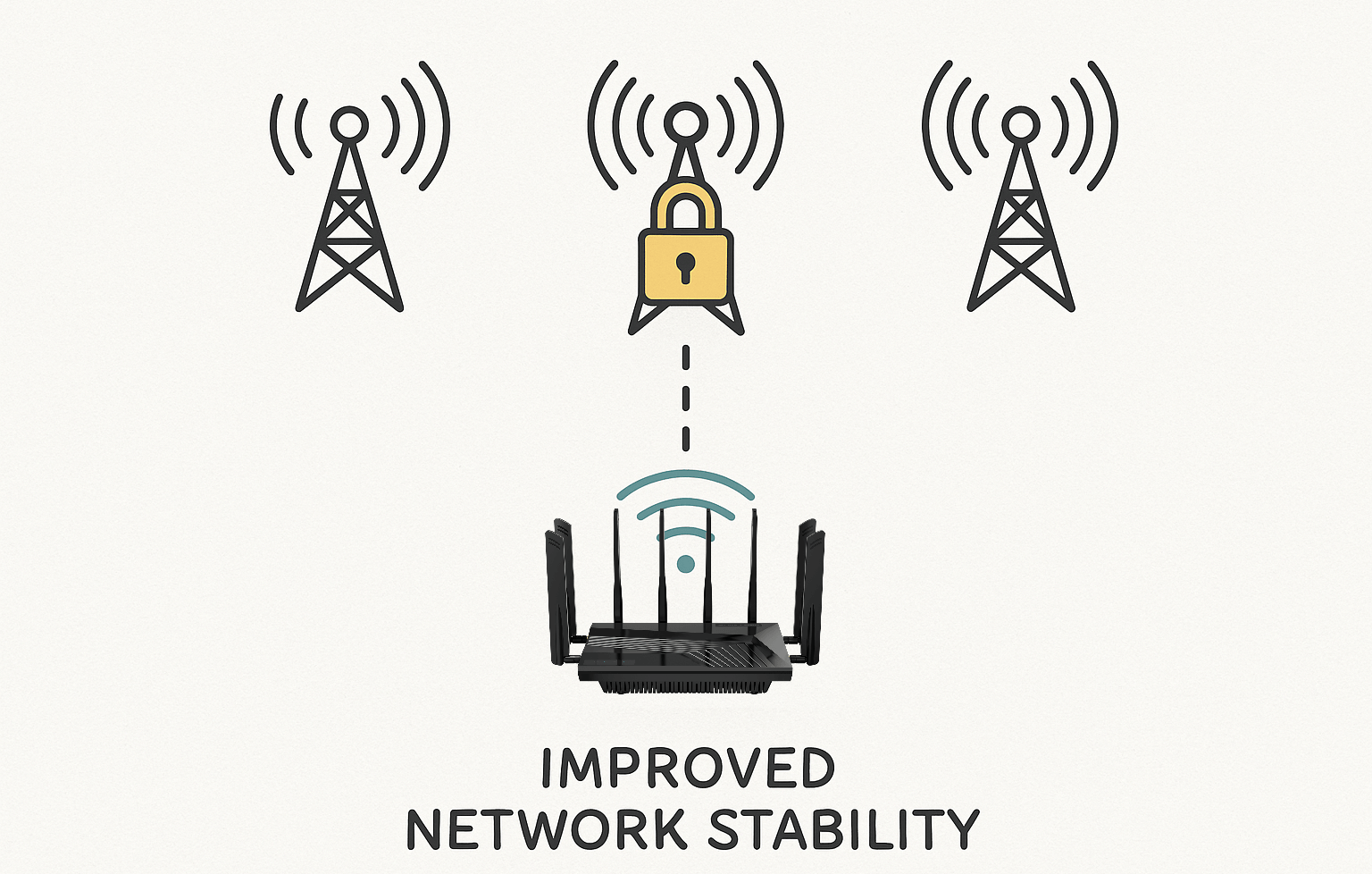
² Stable Connection
By staying connected to one tower, the router avoids unnecessary handovers, reducing chances of dropped connections.
² Consistent Speeds
Frequent tower changes can create speed fluctuations. Celllock ensures steady throughput, which is vital for streaming, video calls, and online gaming.
² Lower Latency
For gamers and professionals, stable latency is critical. Locking to a tower minimizes sudden ping spikes caused by tower switching.
² Optimized Coverage
In rural or suburban areas, a tower with slightly lower signal strength may offer more consistent performance than one with intermittent high peaks. Celllock gives users the ability to choose.
² Home Users: Ensure smooth 4K streaming or work-from-home video conferencing by locking to the most reliable nearby tower.
² Gamers: Reduce lag and packet loss during online matches with a consistent 5G link.
² Businesses: Maintain stable VPN connections and remote access by preventing random tower changes.
² Mobile Applications: RVs, boats, or field deployments benefit from manually choosing the most stable tower.
Advanced devices like the SUNCOMM SE06 5G WiFi 6 Router integrate Qualcomm X62/X75 5G modules, dual 2.5G Ethernet ports, and support for Celllock. Users can:
² Lock the router to a preferred tower for stable 5G connectivity.
² Combine Celllock with band lock to optimize spectrum use.
² Use the router’s web interface to easily configure tower selection.
This ensures that power users, enterprises, and gamers enjoy reliable connectivity tailored to their environment.
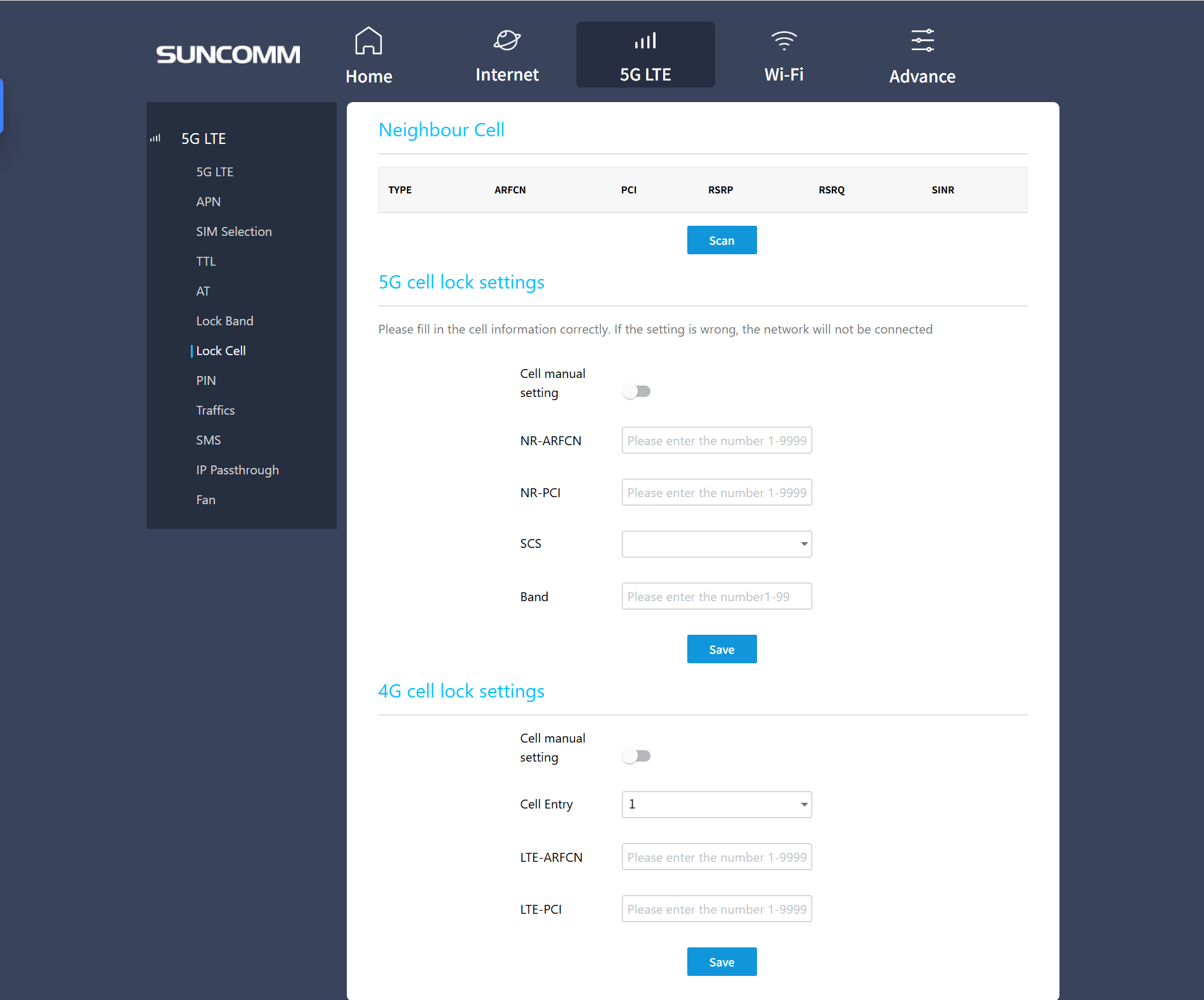
While 5G technology promises ultra-fast speeds, performance can vary without proper network management. Celllock empowers users to take control, locking their router to the most reliable tower for consistent speeds, reduced latency, and stable connectivity.
For anyone using a 5G CPE router at home, on the road, or in the office, understanding and applying Celllock can make a significant difference in daily internet performance.
Explore the SUNCOMM SE06 5G WiFi 6 Router with Celllock support and experience how stable 5G connectivity transforms streaming, gaming, and work.


